Print Management Without the Helpdesk Tickets


Claudia Soto Saavedra
January 20, 2026
6 mins
A guest walks into your building and needs to print something. How likely is it that they figure out how to do it on their own? Not likely. What are the chances you get a support ticket? Very likely.
This guest print challenge is universal across industries. Whether a hospital, a factory, a government building, or a school, IT admins all around are bogged down by helping people print. Print management for existing employees can be complex. Add in the fact that a guest will need to join the network, get credentials, and download software, and you’ve got a full print headache on your hands.
IT admins need a print management solution that is efficient and secure. One that gives them control without requiring hours of manual work. Sounds simple, but is it possible? The answer is yes. There are solutions that offer all these advantages without the hassle. But let’s not get ahead of ourselves. First, let us dive into the need for this solution and the pain points you may be experiencing.
The Traditional Guest Printing Process
Guest printing is inevitable, but the headaches don't have to be. Traditional print management systems turn what should be a simple task into a multi-step ordeal.
The typical scenario looks like this: guests need network authentication (hello, security risks), device compatibility checks, software downloads, IT assistance, and somehow you still have zero visibility into what they're printing. Sound familiar? These pain points are universal across industries, but there's a better way. Let's break down each challenge and show you how Web Print technology delivers efficiency, security, and control.
The Pain Points IT Admins Face With Guest Printing
Security and Access Control
Traditional guest printing requires network access, creating a direct entry point for ransomware attacks and unauthorized access to internal systems. This fundamental security risk compounds as you scale.
Beyond network vulnerabilities, guest printing demands temporary credentials that your IT team must create and manage manually. While you can track credential creation, monitoring actual print activity (when, where, and what guests print) remains difficult without specialized tools. Consider a contractor visiting your plant for a week. They get their credentials on a Monday, and by Friday they have printed 200 pages across multiple devices with zero visibility into the content.
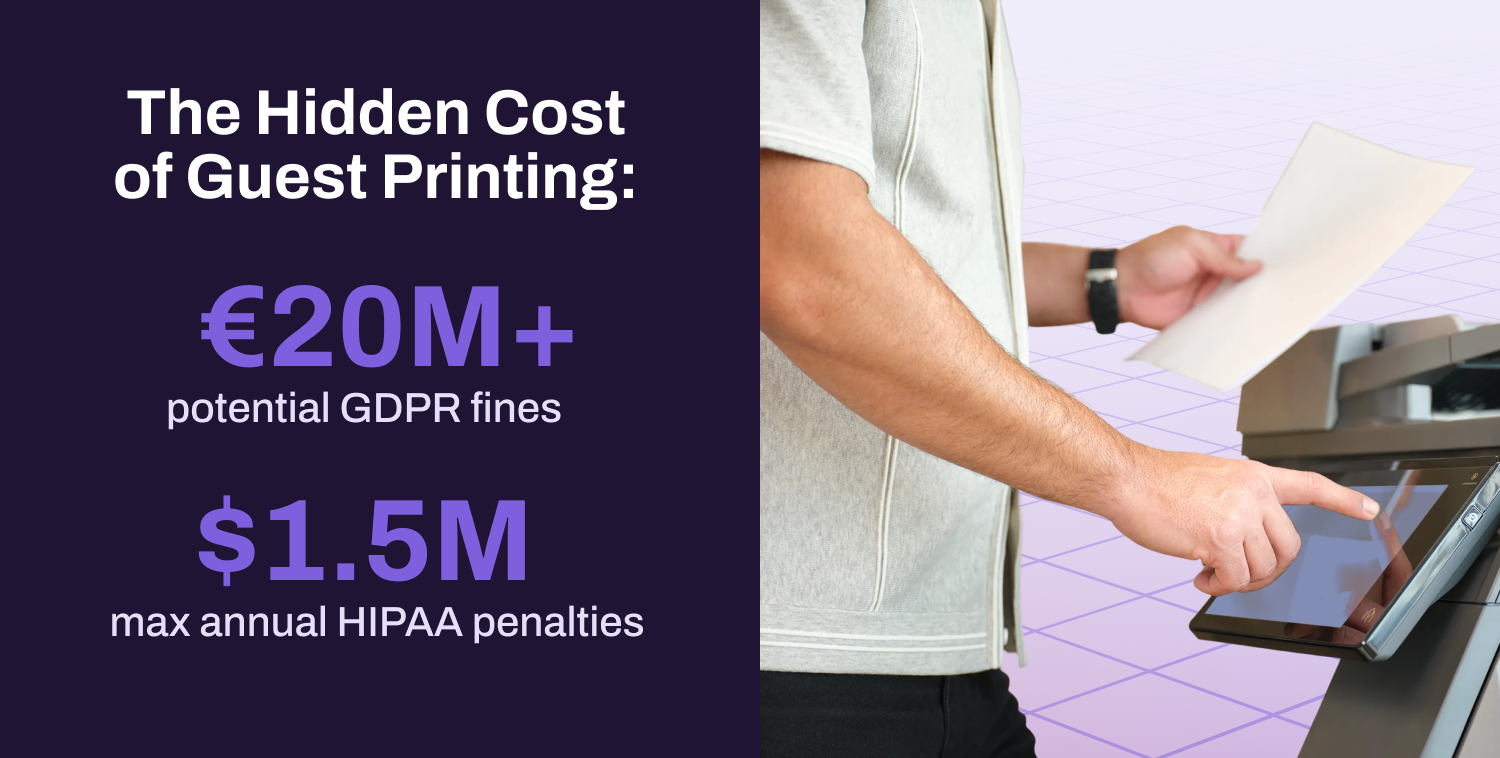
Compliance adds another layer of concern. Unattended documents at shared printers can expose sensitive information, potentially triggering HIPAA or GDPR violations with significant financial penalties. GDPR fines can reach up to €20 million or 4% of annual global revenue, whichever is higher. HIPAA violations range from $100 to $50,000 per incident, with severe violations reaching up to $1.5 million annually. For organizations in healthcare, finance, or legal sectors, unsecured guest printing isn't just an inconvenience; it's a liability.
The lack of audit trails for guest print jobs makes it nearly impossible to demonstrate compliance or investigate potential data breaches.
Beyond the immediate security concerns, this lack of visibility means you can’t calculate the cost of guest printing.
Cost Tracking and Visibility Challenges
Are guests consuming excessive color pages? Printing unnecessary duplicates? Without data, you're operating blind, and this visibility gap is widespread.
For guest printing specifically, the problem compounds. Without proper tracking, IT cannot:
- Allocate costs between employees and guests
- Enforce print limits or quotas
- Set default print settings
- Restrict guests to designated devices
The result? Guests may default to color printing when black and white would suffice, or print to premium devices when standard printers would work fine. The financial impact adds up quickly. Guest printing represents an unmeasured portion of that spend. You can’t optimize what you can’t measure, and you certainly can’t recover costs you can’t track.
Helpdesk Overwhelm and Support Drain
If the costs of guest printing are invisible, the support burden certainly isn't. Guest printing can be a time drain on IT, especially when guests only have one-off printing needs.
Picture this: A vendor arrives for a 30-minute meeting and needs to print a single contract. Your IT team spends 15 minutes setting up temporary credentials, installing drivers, and troubleshooting connectivity (half the meeting duration) for one document. Multiply this across dozens of guests per month, and you've consumed days of IT productivity.
In practice, every guest printing scenario becomes a ticket:
- Creating temporary logins
- Diagnosing driver issues
- Fixing print server connection errors
Each of these leads to print delays and a subpar user experience. Almost every aspect of guest printing might require IT help. These tickets pull your IT team away from strategic initiatives to handle basic printing requests. Constant interruptions prevent them from focusing on projects like security improvements or infrastructure upgrades that actually move the business forward.
Technical Compatibility and Deployment Challenges
So why does guest printing generate so many support tickets in the first place? The answer often comes down to technical compatibility. Guests have diverse devices, each with various operating systems and browsers. Traditional print infrastructure is not built to handle this level of variety. Driver compatibility becomes the first hurdle. A guest’s device may not have the right printer drivers, and installing them requires administrative access.
Print server dependencies create another bottleneck. Traditional print architecture may rely on print servers that guests can’t easily access from outside your network. GPOs and scripts that work for employees become obstacles for guests. Even simple actions like selecting the correct printer from a dropdown menu become confusing when guests see cryptic device names like “HP_Hogwarts_Platform9_3/4” instead of user-friendly labels.
The result? What should be a simple task (sending a document to a printer) becomes a troubleshooting session involving IT support. For organizations managing multiple locations with different printer fleets, these compatibility challenges multiply exponentially.
What IT Admins Need From Print Management Software
The Requirements: Efficiency, Security, Control
These challenges aren't unsolvable. They're symptoms of outdated print architecture. Modern IT environments need a guest printing solution that delivers three core requirements: efficiency, security, and control.
Efficiency eliminates the manual burden. Guests print without downloading software, obtaining credentials, or troubleshooting drivers, and IT never touches a support ticket.
Security removes network risk. Print jobs are encrypted and held in the cloud, never accessing your internal network. Guests release jobs at the device using secure codes, keeping your infrastructure protected.
Control provides visibility. IT admins set print quotas, designate guest printers, enforce secure release, and access detailed activity reports, all from a centralized console without manual intervention for each guest.
The Solution: Vasion Print's Web Print Feature
As we mentioned at the outset, this type of solution not only exists, but it's already transforming how organizations handle guest printing. Web Print eliminates every pain point we've outlined by fundamentally changing how guest printing works. Instead of needing network access and credentials, guests get a simple browser-based solution that takes minutes to use. No software downloads. No helpdesk calls. No security risks.
- The guest opens your organization’s unique Web Print link.
- They upload their document from any device.
- They preview formatting and select a printer from a clean, user-friendly menu.
- They receive a secure release code via email.
- At the printer, they enter the code and the document prints instantly.
Print jobs are encrypted both in transit and at rest, held securely in the cloud until the guest releases them. This off-network architecture means guests never touch your internal systems. Secure release codes prevent unauthorized access to printed documents and automatically expire based on IT-configured timeframes.
IT admins maintain complete control without manual work. You can configure default print settings (black and white vs. color), set page limits per guest, and designate which printers are available for guest use. Usage reports and audit trails give you full visibility into who printed what, when, and where, addressing both cost tracking and compliance requirements in one system.
Web Print runs on a cloud-based SaaS infrastructure that's ISO 27001 and SOC 2 Type 2 compliant, fitting seamlessly into Zero Trust network architectures. And because it's manufacturer-agnostic, it works with your existing printer fleet regardless of brand, no hardware replacement required.
Guest Printing Doesn't Have to Mean Support Tickets
Web Print transforms guest printing from a security risk and IT burden into a streamlined, self-service process. You get efficiency through browser-based simplicity, security through encrypted cloud printing, and control through centralized management, all without adding tickets to your helpdesk queue.
Ready to see it in action?
Check out Printer Cam to participate in a live Web Print demo. Yes, we set up a livestream that shows your print jobs. Send your own document and watch it print out a few moments later.