
All three problems trace back to the same infrastructure: File > Print
GUIDE
The Strategic Guide to Intelligent Print Automation
Why modernizing print is the entry point to digital transformation, cloud migration, Zero Trust, and unlocking AI readiness.

SECTION 1
The CIO Blind Spot: Print
Every CIO has the same short list. AI readiness. Cloud migration. Zero Trust. Compliance. And every one of those priorities has a hidden dependency nobody has scoped: the document layer.
IDC reports that knowledge workers spend 65% of their time on document-related tasks (paper and digital).1 According to Gartner®, roughly 80% of enterprise information is unstructured, spread across documents, files, and rich content in dozens of systems.2 Gartner also states that only 14% of leaders are very confident that their content and data can provide value for AI and human interactions.3 The time problem is visible. The data problem is invisible. The gap between the two is where AI strategies go to die.
65%
Of knowledge worker time is spent on document-related tasks.
Source: IDC
80%
Of enterprise information is unstructured, spread across documents, files, and rich content in dozens of systems.
Source: Gartner
14%
Leaders who are very confident their content and data can provide value for AI and human interactions.
Source: Gartner
File > Print is one of the most universal actions in computing. It’s on every machine in every organization. Every employee already knows how to print and right now it’s a dead end. Documents print and disappear. Data exits the digital ecosystem. Intelligence stops at the click.
 Your print environment is doing exactly what it was designed to do twenty years ago and that is the problem.
Even if parts of your IT stack have modernized, print environments are often left behind, sitting at the intersection of your most sensitive data flows, your most outdated systems, and the modernization initiatives you are trying to drive everywhere else. A company may invest millions in AI and automation, yet print management and print operations remain in black boxes, where data enters and exits with minimal visibility, security, or intelligence.
You Cannot Manage What You Cannot See
Most organizations have no real-time view into their print environment: they do not know who is printing; what data is in those documents; whether a critical job from an ERP or EMR system ran successfully; or whether a printer on a remote network is actively spooling sensitive output to an unmonitored tray. The problem isn’t a reporting gap. It is a governance gap. And the delta it creates is significant: the same organization that requires role-based access controls for every cloud application often has no equivalent control on the device that can render any of those data, that intellectual property, onto a physical page and walk it out the door.
Digital systems can be audited down to the transaction level, but many organizations cannot report who printed what, when, from which system, and what happened to the document afterward. That gap is where security incidents and compliance failures can originate. In industries where documents contain protected health information (PHI), financial data, or personally identifiable information (PII), the lack of a complete audit trail is not just an operational inconvenience. It is a compliance liability that regulators and auditors may find before you do.
SECTION 2
The Security Exposure You Have Not Scoped
Print-Related Breaches Are Rising
Quocirca’s Print Security Landscape, 20254 found that 56% of organizations experienced at least one print-related data loss in the past year. Breach costs average approximately $847,000 (£630,000) for organizations with standardized fleets and reach nearly $1.26M (£937,000) for those running mixed environments. With print security budgets expected to grow 13% in the coming year, the industry is responding to a risk it can no longer minimize.
Securing print infrastructure is a non-negotiable for any organization intent on meeting or maintaining a Zero Trust environment.
$847k
Approximate cost of security breach for organizations with standardized fleets.
Source: Quocirca
56%
Of organizations experienced at least one print-related data loss in the past year.
Source: Quocirca
$1.26m
Approximate cost of security breach for organizations with mixed environments.
Source: Quocirca
Print Servers Are One of the Most Significant Attack Surfaces in Enterprise IT
PrintNightmare made print servers as attack surfaces impossible to ignore. The Windows Print spooler vulnerability, a critical flaw in the infrastructure that had been a standard component of enterprise IT for decades, allowed attackers to gain administrator-level access to data and take system control. The only immediate, definitive remediation was to disable the print spooler entirely, and for manufacturing, financial services, healthcare, and logistics organizations, that was not a viable long term option. Unilaterally stopping all print is not a long-term risk mitigation strategy.
PrintNightmare is a recent example, but it is not exceptional. It was a demonstration of a structural vulnerability in server-based print architecture that attackers will continue to exploit, given the opportunity. Network printers are endpoints with IP addresses, and in many organizations they have not been patched or assessed with the same rigor as servers or workstations. Hackers can take advantage of that, leaving a network exposed if proper safeguards are not put in place.
A Gap in Print Security Is a Gap in Zero Trust
In a Zero Trust environment, where every access request is verified and every connection is evaluated, an unmanaged printer represents a gap in the model: a device trusted by default because no one has built controls around it. Most Zero Trust implementations address identity, network access, and endpoint security, but the device layer, specifically printers and multifunction devices, rarely receives the same architectural attention. This overlooks infrastructure operating at the edge of most security frameworks with documents flowing through systems that have no authentication requirements, no audit trails, and no access controls.
The physical security dimension compounds the problem considerably. A document containing employee records, patient data, or unreleased financial numbers sitting in a printer tray also has no access controls, no audit trail, and no retrieval record. If someone picks it up, intentionally or not, there is no mechanism to detect that it happened, let alone respond to it. Digital data loss prevention tools do not extend to physical output unless the print environment is specifically built to support them.
Regulatory and Compliance Exposure
Unmanaged print can endanger regulatory compliance. Across government, healthcare, manufacturing, and financial services, auditors and regulators routinely request access to documents and audit data trails. The inability to produce documentation on demand can force operational halts, affect client experience, and in some cases, trigger fines.
- Healthcare: The average cost of a healthcare data breach reached $7.42 million in 2025, the highest in any industry according to IBM’s Cost of a Data Breach Report. Because HIPAA governs protected health information in any form, an unattended printout containing patient data could constitute a violation.
- Manufacturing: Documentation and data integrity failures appear in 61% of FDA GMP warning letters, making them the single most cited category of violation. Under a consent decree, companies can face fines of $15,000 per day for missed remediation deadlines. Because regulatory requirements for up-to-date, accessible SOPs depend on accurate print processes and version control, failing to produce current documentation during an inspection is a direct path to enforcement.
- GDPR: Applies to any organization that operates in the EU. Serious violations can result in fines of €20 million (approximately $23.7 million USD as of May, 2026) or 4% of annual global revenue, whichever is higher.5 Printed customer data that is inadvertently disclosed, or not properly destroyed when an individual invokes the right to erasure, can contribute to an enforcement action.6
The pattern across these frameworks is consistent: physical document handling is not exempt from the compliance obligations that govern digital data. Modernizing print is increasingly a precondition for managing regulatory risk.
Cloud Migration Cannot Leave Print Behind
Organizations that have moved to Zero Trust, invested in cloud migration, and deployed AI initiatives have modernized nearly every layer of their infrastructure. The exception, almost universally, is print. Print servers remain on-premises, consuming budget, creating attack surfaces, and blocking the very cloud strategies leadership is trying to accelerate.
Cloud migration creates a natural catalyst. As organizations move identity management to Entra ID, endpoints to Intune, and workloads to Azure or AWS, print servers become the legacy anchor that holds back full migration. Eliminating them is not a separate initiative. It is the completion of the cloud migration the organization is already funding.
Every print server that remains on-premises is a reason the CISO has to explain a gap in the next audit. Every driver deployed through GPOs is a scripting dependency that Intune was supposed to eliminate.
Print does not need its own transformation roadmap. Print needs to stop being the place where the existing transformation roadmap dies.
SECTION 3
The Cost Nobody Has Quantified
The security and architectural risks of unmanaged, or under-managed print, are clear. The financial exposure is harder to see—print costs rarely appear as a single line item.
Print Server Spend
According to IDC, organizations with more than 1,000 employees spend an average of $222,9007 per year acquiring and managing print servers. Across all organization sizes, IDC estimates print servers and related costs consume an average of 3.7% of the total IT budget.8
Direct licensing and hardware costs are only part of the picture. IT teams invest significant hours managing scripts and Group Policy Objects (GPOs) that grow more complex and brittle as organizations scale. Something breaks, diagnosing the failure takes hours, with the fix frequently surfacing a new problem elsewhere. Organizations also absorb the cost of physical hardware footprint, cooling, and overall power consumption, none of which appear as print infrastructure line items but constitute very real costs. This spend cycle continues as underlying print environments and their architecture was never designed to scale for the modern enterprise.
$222k+
Average spend per year acquiring and managing print servers by organizations with more than 1,000 employees.
Source: IDC
3.7%
Estimated IT budget consumed by print servers and related costs.
Source: IDC
Print: A Resource-Intensive Budget Sink
Print-related helpdesk tickets can cost companies hundreds of hours in productivity and tens of thousands of dollars annually. The cost is only made visible after switching from print server-based infrastructure to a serverless, direct IP print management solution. One Vasion customer, Flow Automotive, recovered more than 610 hours annually after modernizing their print infrastructure and completely eliminated print-related IT tickets in the process. Another Vasion customer, Saber Healthcare Group, saved up to $150,000 in annual cost savings by lowering infrastructure and personnel overhead, and recovering lost time for end users.
“Just from a resource perspective, PrinterLogic has really lowered a lot of our overhead, from infrastructure to personnel. It helped us get everything under the same umbrella. It takes things off the back of the IT department, and it gives the user more power to control their printing.”
— Saber Healthcare
For IT organizations already operating lean, recapturing that capacity is not a footnote; it is a meaningful reallocation that shows up directly in what the team is able to deliver against a strategic roadmap. When print-related helpdesk tickets dramatically decrease or disappear, IT teams can focus on more important projects, including cloud migration, Zero Trust implementation, and AI infrastructure initiatives that leaders are accountable for delivering.
Print as a Black Box
Lack of visibility into who is printing what, when, and where (and why) further compounds the cost. Organizations often lack print quotas, departmental reporting, or behavioral analytics to distinguish necessary print from wasteful print. Finance teams are often unable to quantify employee generated print, which means operations teams cannot address it, so print accrues as an invisible line item, one that IDC’s data suggests is significantly larger than most organizations believe.
Most Enterprises Are Running Parallel Print Infrastructures and Paying for It
End user printing (the documents that employees initiate from workstations) and critical systems output management (print originating from systems like EMR/EHR/ERPs) developed independently because they were historically treated as different problems, necessitating different vendors, and different budget line owners. The result is duplicate infrastructure, duplicate administration, and duplicate cost, multiple vendors, with no unified visibility across either environment.
Organizations often pay for two sets of licensing, maintenance, and often costly professional services. IT teams maintain two (or more) separate network configurations, multiple sets of IdP integrations, two (or more) driver management frameworks, paying for integration debt with a surfeit of tightly coupled APIs, innumerable sets of scripts, GPOs, routing logic, mushrooming point solutions, and potentially decades-old home grown solutions that manage to be both compounding and brittle.
The compliance and security implications follow the same pattern. Enforcing consistent security policies across separate environments with different input systems, different output destinations, and different administrative owners is both operationally difficult and structurally unreliable. Unattended documents in a critical systems output environment, including patient care and healthcare documents, financial reports, and shipping labels, carry exposure risk, just as unattended documents from general employee printing. Neither environment offers true visibility into what the other is doing, and as both are managed entirely separately from each other, true compliance, regulatory, and security risk is difficult to aggregate.
The result: the infrastructure IT teams often spend the most time managing, print, is also the one your leaders have the least visibility into, let alone the cost of maintaining parallel systems.
SECTION 4
The Data Your AI Strategy Cannot Reach

Organizations investing in AI readiness are making a foundational assumption: the data their models need is readily accessible. For any organization with a print environment that has not been modernized, consolidated, or automated, that assumption does not hold.
The document layer produces contracts, invoices, clinical records, compliance filings, and operational data at enormous volume. In most enterprises, that document data is effectively invisible to every downstream system. It passes through print infrastructure that was never designed to capture, classify, or route it.
The risk is widespread. “In fact, Gartner® predicts that through 2026, organizations will abandon 60% of AI projects unsupported by AI-ready data.”9 63% of organizations either do not have, or are unsure whether they have, the right data management practices for AI. Poor data quality persists as one of the most frequently cited challenges blocking AI deployment. The investment in AI capability has outpaced the investment in the data infrastructure that capability requires, and the gap shows up most visibly at the document layer.
Every IT leader exploring AI applications will eventually reach a hard limit: the data trapped in legacy print processes that makes it structurally impossible to apply intelligence at speed or at scale. The institutional knowledge is there. The transactional records are there. The operational data is there. It is simply dark: frozen in formats and in multiple systems that cannot share it.
Legacy print patterns that most commonly block AI readiness:
- Print servers as single points of failure. Beyond cost and security exposure, print servers represent infrastructure that can halt operations entirely when they fail, with no redundancy or intelligent rerouting to keep data flowing.
- No path from print to digital. Without defined processes for capturing and digitizing printed content, employees default to unmanaged print workflows that operate outside enterprise visibility, producing data that is entirely invisible to downstream systems.
- No visibility into data. Traditional print management does not capture the data moving through it. There is no mechanism to track, analyze, or route that data, so it cannot inform AI systems or contribute to operational intelligence.
Addressing the document layer is not a simple print initiative; it is a precondition for AI strategy to work.
For too long, the assumption that fewer and fewer data would be passing through device and document layers prevented leaders from critically evaluating print management. IDC’s Document Process Survey 202510 found that more respondents print emails, reports, signature-required documents, and spreadsheets in 2025 than they did in 2022. Print volume is not declining, and the data gap it creates is not closing on its own.
SECTION 5
The Correct Order of Operations: Intelligent Print Automation
The market is full of organizations that implemented an AI document processing tool and discovered it cannot see half their documents. Or rolled out an on prem output management solution that does not connect to end user print. Or modernized their print servers but stopped there, leaving clean infrastructure that still produces dead-end data.
This is why Gartner reports that, “only 48% of digital initiatives succeed globally.”11 Not because the technology is wrong, but because the sequence is wrong.
Intelligent Print Automation (IPA) is a platform approach that modernizes print environments by eliminating print servers, unifies and consolidates end user printing and critical system output management, and enables intelligent document workflow automation on cloud-native architecture, for visible, connected, and secured print environments.
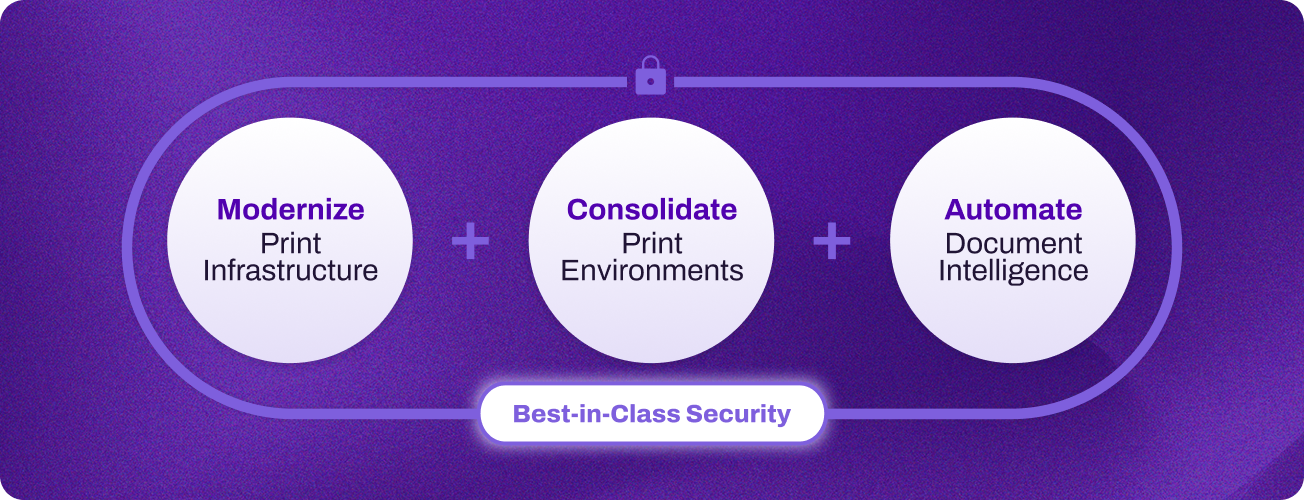 Rather than requiring a full infrastructure overhaul before organizations see results, Intelligent Print Automation delivers value incrementally. Organizations start by modernizing their existing print infrastructure, then consolidate end user and critical systems printing onto a single platform, which allows for document automation to unlock the data frozen in physical processes. Each phase builds on the last and delivers returns before the next begins.
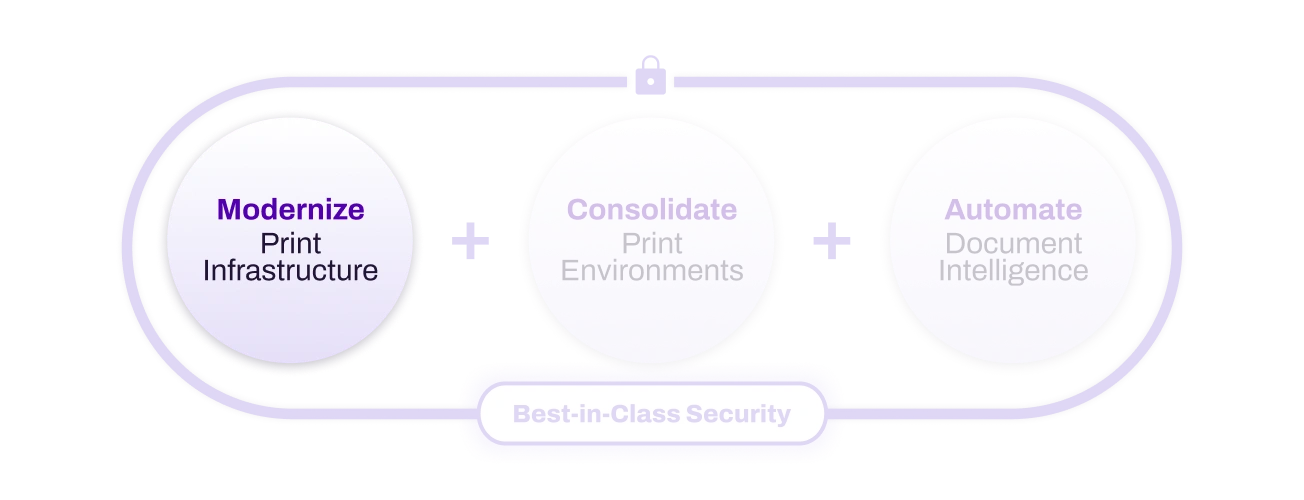 Modernize
The first and most impactful change any organization can make is eliminating print servers. Replacing them with serverless, direct IP print management removes hardware maintenance costs, eliminates single points of failure, enables scale by retiring brittle home grown solutions, and extends enterprise-grade security controls to every device in the fleet.
Cloud-native Intelligent Print Automation supports any operating system, MFD, and identity provider (IdP), staying agnostic, so organizations can modernize without replacing hardware or locking into a single model. Security capabilities built into the modernization layer include Zero Trust enforcement at the device level, single sign-on (SSO), secure release printing, and off-network printing that allows guests and contractors to print without accessing the corporate network.
Organizations that complete modernization typically see immediate reductions in IT overhead, from self-service printer deployments that reduce helpdesk ticket volume, to measurable improvement in print-related security posture, and establish a foundation for centralized visibility that consolidated print environments and automation build on.
Modernizing end user print infrastructure is the first move, but most organizations are still running a second, parallel print environment alongside it, and that duplication quietly erases much of the value just created.
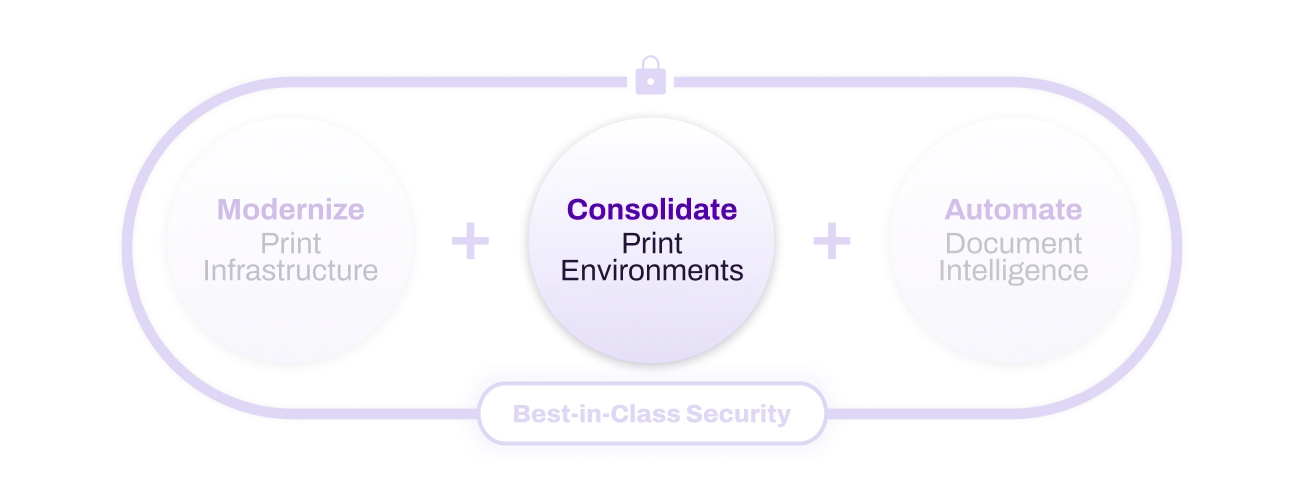 Consolidate
The parallel infrastructure problem of front and back office print systems doubles cost and halves visibility. You cannot automate what you cannot see, and you cannot see it all when it is running on two separate platforms with separate logs and multiple vendors, and you certainly can’t scale as quickly as the business demands when output management is on prem.
Intelligent Print Automation eliminates that split. By integrating directly with EMRs and ERPs, IPA removes the need for separate output management while bringing critical systems printing onto the same platform as general employee printing, which results in:
- A single cloud-native console for enterprise-wide print visibility
- Built-in failover and intelligent job rerouting for critical print operations
- Simplified administration and compliance reporting across the entire fleet
- Unified audit trails that cover both employee and systems-generated output
- AI-powered print behavior analysis that provides cost visibility and sustainability reporting
Output management issues frequently stall cloud initiatives. By adopting an IPA solution, organizations can retire on-prem infrastructure and transition those processes to the cloud; comprehensive cloud migration must include system print rather than excluding it.
Consolidation also creates the data foundation that automation requires. Once every document flowing through the organization is visible, auditable, and governed from a single platform, the question shifts from how to manage the infrastructure to what the infrastructure can now enable.
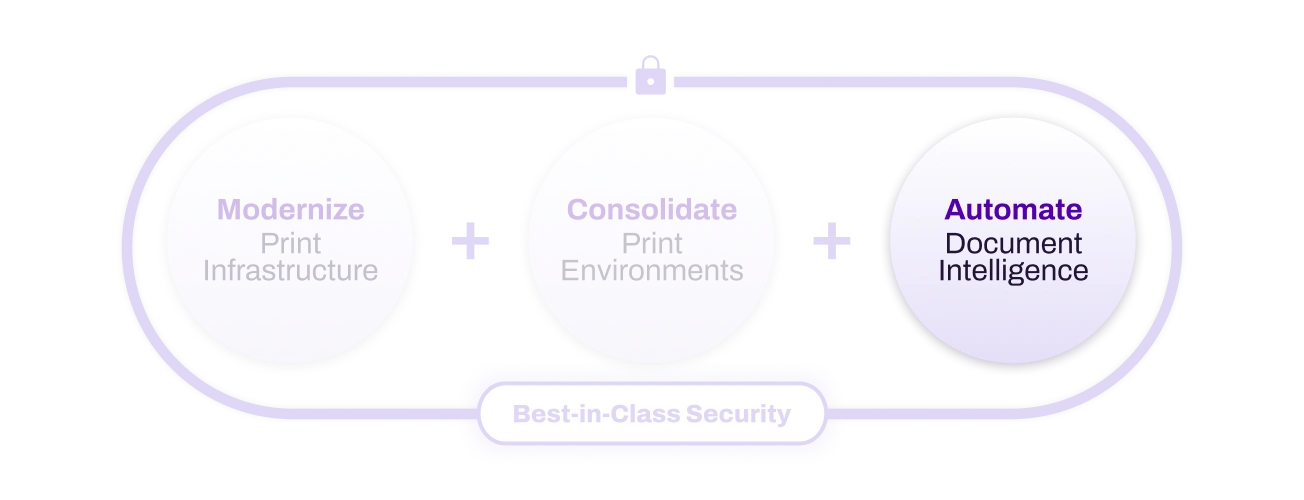 Automate
Organizations overlook one of their highest-frequency user actions: File > Print.
Every print event contains structured metadata: user identity, source system, device location, document classification, and timestamp. When print infrastructure is architected to capture and act on that signal, a routine output action becomes an entry point for policy enforcement, workflow automation, document routing, and compliance logging. The user behavior requires no change. The opportunity lies entirely in what the infrastructure allows to be done with it.
Intelligent Print Automation enables significant operational value by leveraging the user behavior of File > Print.
The print-sign-scan loop that plays out thousands of times daily in most organizations becomes an automated workflow trigger with Intelligent Print Automation, sending documents and data across organizations in visible paths, secured, monitored, and actionable.
Three high-frequency scenarios illustrate the operational shift:
- Contract execution: Contracts route to digital workflows for eSignature, automatic legal notification, and CRM update without manual re-entry at any step.
- Invoice processing: Invoices are automatically routed for digital approval, data is extracted and validated, posted to the ERP, and archived with a full audit trail.
- Employee onboarding: Digital forms replace printed packets. Data flows automatically to HR, payroll, and benefits systems, and documents are archived with compliance tracking from day one.
Intelligent Print Automation also makes automation capabilities available across the entire fleet. Users authenticate at the device and trigger AI workflows directly: scanned documents are automatically analyzed for sensitive content, redacted as needed, and stored with full audit trails. Static paper forms become intelligent digital workflows with built-in approval chains and automatic data capture. The print-sign-scan-reupload cycle is replaced with direct routing to eSignature, compressing contract execution timelines.
File > Print is not a print problem. It is the moment where governed, structured enterprise data becomes ungoverned, unstructured output.
Every contract, invoice, patient record, and compliance document that passes through the File > Print action unmanaged is data your AI cannot read, your compliance team will struggle to account for, and a security framework cannot protect. Intelligent Print Automation intercepts that moment and makes it the entry point for intelligence rather than the exit point for data.
SECTION 6
Evaluating Intelligent Print Automation Security
The four criteria below apply to any vendor claiming to deliver Intelligent Print Automation. The criteria separate platforms that address the document layer architecturally from those that manage printers—and stop there.
The security posture of a platform that enables Intelligent Print Automation should be verified and continuously monitored. For example, FedRAMP® High Authorization, the rigorous cloud security standard, requires compliance with 421 controls and ongoing vulnerability remediation. Any Intelligent Print Automation solution should also have achieved SOC 2 Type II, ISO 27001 for information security management and ISO 42001 for AI governance, to provide the compliance foundation that regulated industries and public sector environments require.
Four Criteria to Evaluate Intelligent Print Automation Security:
- Zero Trust architecture at the device level. Every print interaction should require authentication. Print data should be encrypted end-to-end. No document should release until the authorized user authenticates at the device, with no implicit trust granted based on network location.
- Elimination of the print server attack surface. Server-based print architecture is a structural vulnerability and not an isolated risk. Any platform that requires the retention of print servers, whether on-premise or cloud-hosted, retains the attack surface. A serverless, direct IP architecture removes the intermediary entirely.
- A complete audit trail. The platform should produce a documented record for every document event across both end user printing and critical systems output, without gaps at system boundaries.
- Verified security authorizations across the full platform. At minimum: SOC 2 Type II, ISO 27001, and ISO 42001. For regulated industries and public sector environments, FedRAMP High Authorization is the relevant standard. Verify that the specific products being procured are within the authorization boundary.
SECTION 7
Take Action
 Every digital transformation program eventually reaches the same layer: the one where physical and digital processes meet, where sensitive data moves without controls, and where infrastructure, built before the cloud, is still running the same way it was twenty years ago. That is the print layer. The cost data, the security exposure, the AI readiness gap, and the compliance risk are documented. The decision is whether your organization addresses it on your timeline or someone else’s.
The organizations that continue to treat print as an afterthought will continue to absorb costs that do not appear as a single line item: IT overhead spread across helpdesk tickets and server maintenance; parallel systems with duplicative maintenance and outsized cost; cloud migrations that stall at legacy on-prem infrastructure; security exposure that surfaces in audits before it surfaces in dashboards; AI initiatives that stall because the document data they need is frozen in infrastructure no model can read. None of those costs announce themselves as print problems. They announce themselves as transformation programs without traction, carve-outs that expose security risk, and incomplete AI output.
The organizations that act do so because leaders understand the criticality of a modernized print environment to achieve existential initiatives: cloud migration, Zero Trust, AI readiness, regulatory compliance. Each of those initiatives has a hidden dependency on the document layer that goes unresolved until print is modernized, consolidated, and automated. As overwhelming finally addressing the most digitally resistant areas of the organization can appear, the solution is simple and does not require a multi-year transformation project or an infrastructure overhaul before results appear—the first phase could even deliver measurable returns within weeks.
Intelligent Print Automation: what IT leaders assumed was impossible to modernize is now a strategic asset.
Print is not a facilities issue, or a user issue, or a terminal end. Print is the digital infrastructure layer to which every other priority traces back. Intelligent Print Automation is how you activate devices and documents, enabling data accessibility for insights, compliance, and AI. The capability to do so is already deployed on every machine in your organization.
Resources:
- IDC’s Document Process Survey, 2025: Trends in Document Processes and Workflow Automation, # US52139425, May 2025
- Article 83(5), Regulation (EU) 2016/679 (GDPR), European Parliament and Council (gdpr-info.eu/art-83-gdpr/)
- IDC Research Excerpt: Businesses Can Realize Significant Cost Savings by Shifting Print to the Cloud, #US53179125, February 2025
- IDC PlanScape: Print Modernization to Enable an Effective Hybrid Workforce, #US51982024, June 2024
- Gartner Press Release, Lack of AI-Ready Data Puts AI Projects at Risk, Q& A with Roxanne Edjlali, February 26, 2025. GARTNER is a trademark of Gartner, Inc. and/or its affiliates
- IDC Document Process Survey, 2025: What, How, and Why They Print, #US53462525, May 2025
Talk to a Vasion IPA Specialist
A thirty-minute conversation will help you get a clear picture of where your print environment stands, what modernization could look like, what consolidation could achieve, and what automation could unlock, for returns at each phase.