When I was in high school, my math teacher assured me that I needed to learn the mathematical concepts she was teaching because, in the future, I wasn’t going to consistently have a calculator with me to run calculations for me. Little did she know…the advancement of technology would give me exactly that—and so much more.
As a society, we have moved so quickly through technological innovation, it’s hard to even recognize the old world of boxy desktop computers and thick, heavy graphing calculators. Today, even elementary school students are completing most of their work on a Chromebook or iPad. In addition, employees across the world are using Android tablets, mobile phones, and other devices to accomplish tasks that used to require a lot more hardware.
These advances are equally advantageous when it comes to printing. While many companies are still primarily printing from desktop computers, BYOD (bring your own device) printing is becoming more and more commonplace. Leading technology companies like Apple, Google, and Windows have simplified printing so that individuals can easily connect to home printers via Bluetooth or wifi, and PrinterLogic has now brought similar capability to our own platform so large enterprises can enable their users to securely print from mobile devices.
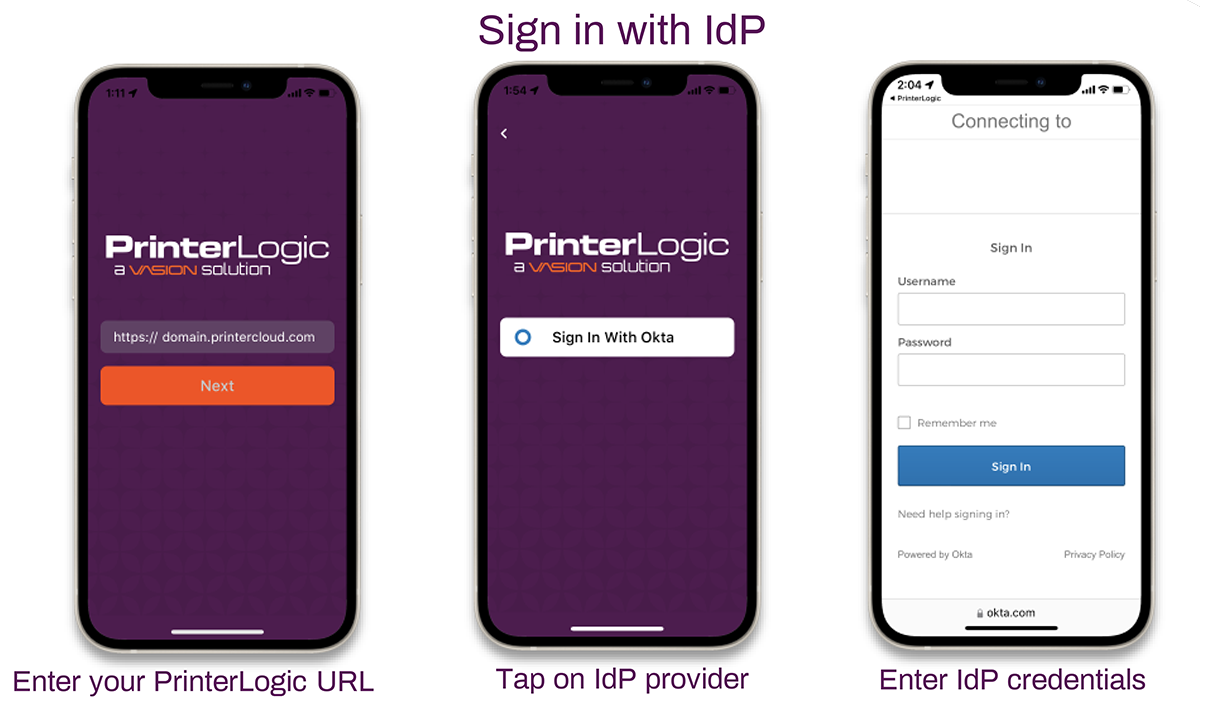
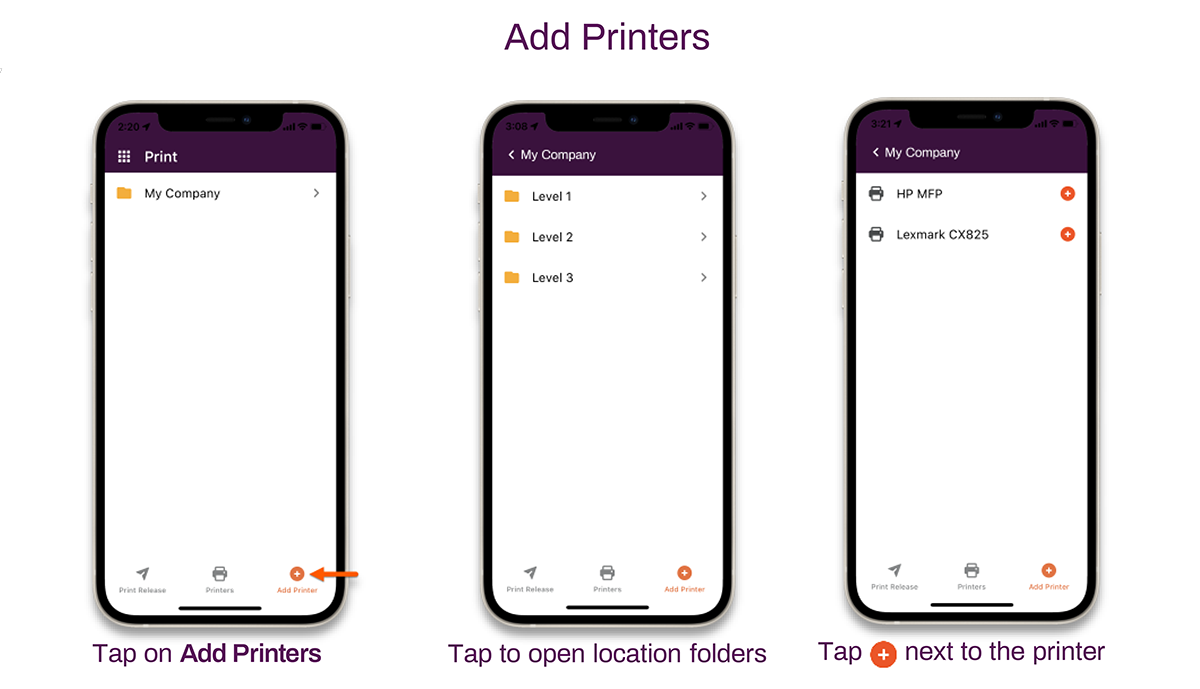
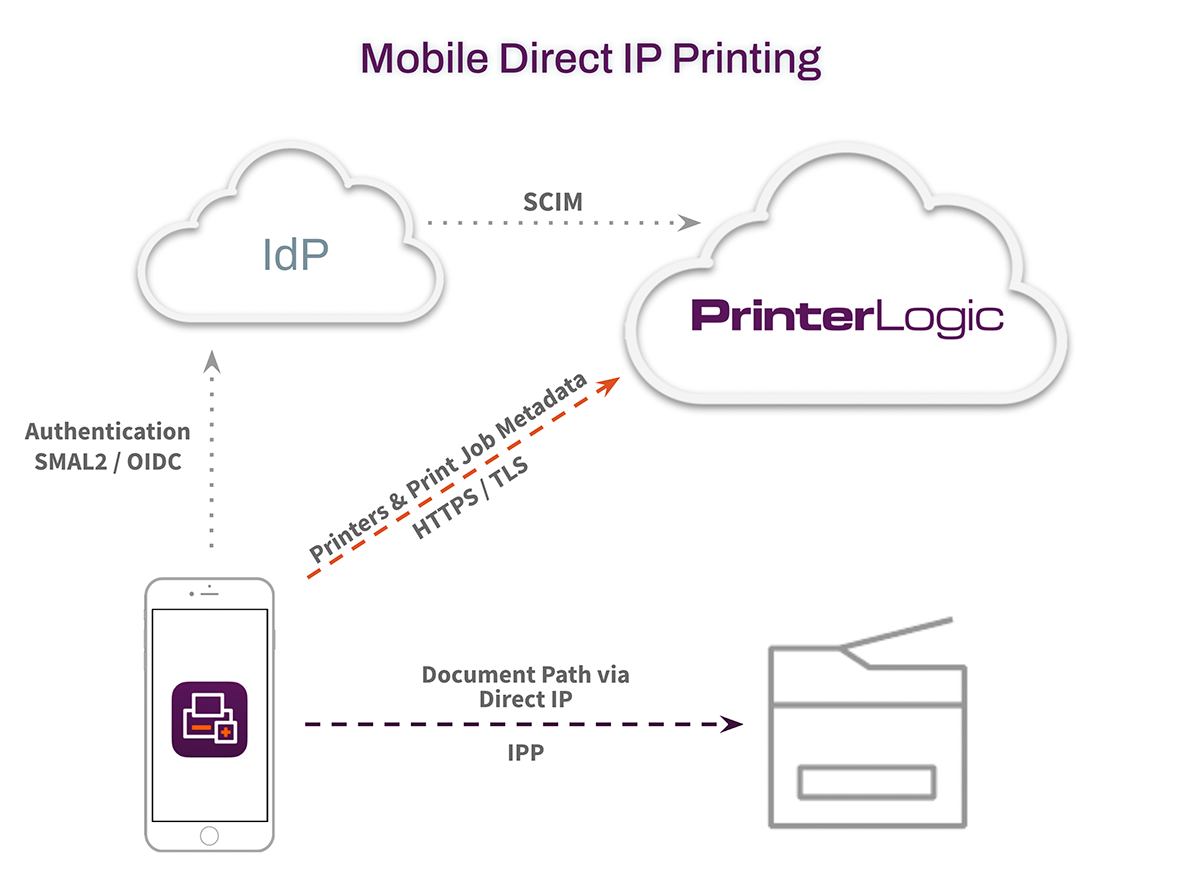
The PrinterLogic mobile application for iOS and Android offers two new functionalities to your PrinterLogic environment: mobile printing and secure release printing. In this blog, we will take a look at how printing from a mobile device works and what happens behind the scenes. In Part 2 of this series, we will look at using the mobile application alongside the PrinterLogic Secure Release Printing module for releasing print jobs at the printer.