See PrinterLogic in Your Environment
Walk through the printers, locations, and workflows that matter most to your IT team.

Print That Keeps Working. Work That Moves Intelligently.
Explore Fall Launch.
 Serverless direct IP printing that eliminates traditional print servers, with cloud-native SaaS and private cloud options.Centrally manages drivers, queues, and locations for mixed fleets, with self-service printer installation and smartphone, tablet, and Chromebook printing.Pull and secure release printing, plus off-network remote printing and web-based guest print.Centralized printer objects, drivers, profiles, access rules, and print activity reporting from one admin console.
 Validate supported printers, client deployment, Windows, macOS, ChromeOS, mobile, and remote-work requirements.Serverless direct IP printing that eliminates traditional print servers, with cloud-native SaaS and private cloud options.Centrally manages drivers, queues, and locations for mixed fleets, with self-service printer installation and smartphone, tablet, and Chromebook printing.Validate supported printers, client deployment, Windows, macOS, ChromeOS, mobile, and remote-work requirements.Pull and secure release printing, plus off-network remote printing and web-based guest print.Centralized printer objects, drivers, profiles, access rules, and print activity reporting from one admin console.
PRINTERLOGIC FIT
Replace print servers with serverless direct IP printing, managed from one cloud console. Learn more about PrinterLogic
Centrally manage printer objects, drivers, profiles, and access across locations and specialty printers. Explore enterprise print management
Pull printing and secure release, plus off-network printing for remote users. Review secure print management
Self-service printer installation lets users add the right printer in one click, so driver and queue changes stop landing on IT. See how self-service works
ABOUT PRINTIX
Printix is cloud print management software built to replace traditional print servers, with secure and mobile printing plus Microsoft and Google integrations. It can make sense when these needs sit at the center of your environment and your printers and release workflow check out in a pilot.
PILOT CHECKLIST
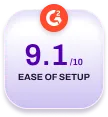
Document the current print-server footprint, client components, job routing, and critical applications. Then have each vendor map the proposed architecture for the same site and printer sample.
Test the endpoints your teams actually use. Include Windows, macOS, ChromeOS, mobile, virtual desktops, and home-office workflows where relevant. Confirm enrollment, identity, and authentication requirements before rollout.
Both platforms offer secure-print capabilities. Test actual release methods, including mobile, card, PIN, or device-panel workflows, and confirm retention, audit, and escalation expectations.
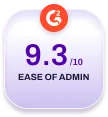
Run a hands-on administration test. Deploy printers to a group, update a driver, remove an old queue, test a remote user, and inspect reporting. Record the steps and support dependencies for each platform.