Secure Release Printing

Protect your confidential documents with PrinterLogic's Secure Release Printing feature and empower end users to release print jobs from any printer, anywhere.
A PRINT MANAGEMENT COMPLETE SOLUTION
Achieve Flexible and Secure Printing

Protect What Is Yours

No more living in fear of leaving confidential documents unattended in a print tray. Secure Release Printing holds print jobs on the user’s workstation until they’re ready to release them at the printer they choose. Along with making print jobs more intentional, Secure Release Printing focuses on reducing waste to promote sustainability and eliminates security risks by helping your organization handle critical customer and employee data with confidence.

Perfect for Dynamic Work Environments

An integrated approach to secure printing, Secure Release Printing gives employees flexible, convenient ways to release print jobs while keeping it simple for IT to implement. Empower end users to release print jobs at any printer within your organization’s network, regardless of which floor, building or country the printer is in. Users can release print jobs using one of several authentication methods.

How Secure Print Release Works

The user prints as usual. PrinterLogic holds the job on the user’s workstation instead of sending it straight to the printer.
The user walks to any supported printer in the organization, on any floor or at any site.
The user signs in at the printer with a badge, a PIN or Active Directory login at the control panel, the PrinterLogic app’s QR code scan, or a web browser.
The user picks the jobs to release, and only those jobs print. Jobs that are never released never reach the output tray.

How to Implement Secure Print Release

  1. Add Secure Release Printing through the Advanced Security Bundle, which also includes Off-Network Printing, Mobile App Print Release and Concurrent IdP Support.
  2. Connect your identity provider, such as Okta, Microsoft Entra ID or Google Identity, so users release jobs with the same sign-in they use everywhere else.
  3. Choose release methods for each site: control panel release on supported printers, badge readers (outboard or embedded, including CAC and PIV cards), QR code release in the PrinterLogic app, or a web browser.
  4. Check which printers support control panel release on the printer apps page. Printers without it can still release jobs through the mobile app.
  5. Turn on Offline Secure Release so laptop and virtual desktop users can release jobs after they close the lid or log off.

PrinterLogic Secure Release Options

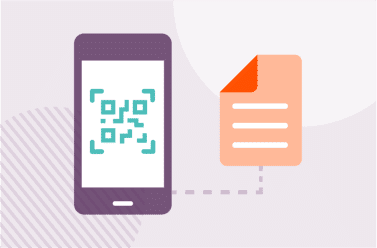
Release a print job with the PrinterLogic app QR code
Smartphone App/QR Code
Scan the QR code on the printer with the PrinterLogic app, then choose which jobs to release.
Release a print job at the printer control panel
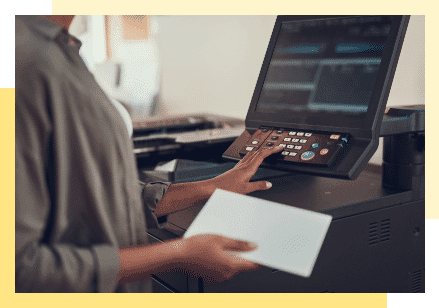
Control Panel
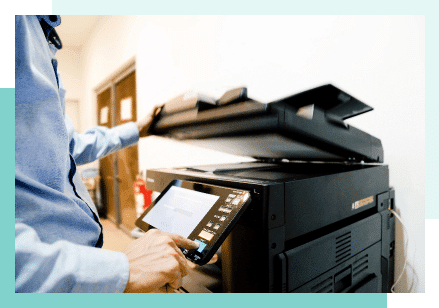
Log in and release a print job from the printer’s LCD control panel using your Active Directory login or PIN Authentication.
Release a print job with a badge reader
Badge Reader
Swipe your badge at any printer with a card-reading device. It also supports CAC and PIV authentication.
Release a print job from a web browser
Web Browser
Connect to PrinterLogic’s web-based application to release print jobs securely with any device with browser access.

Benefits of Secure Print Release

Zero Trust Printing
Reduce infrastructure and keep your data more secure with a Zero Trust Printing solution that works with popular cloud-based Identity Providers.
Simple Implementation
Easily administer PrinterLogic SaaS and additional security features without reconstructing your current print environment.
Centralized Management
Eliminate your print servers and manage all of your organization’s printing from a single location via PrinterLogic’s Admin Console.
Cost-Efficient
Make printing more deliberate and reduce costs by allowing end users to cancel unwanted print jobs before they reach the print tray.
Convenient for End Users
Allow all end users, regardless of role, to print where and when they need to with minimal effort.
Get Additional Features
Gain access to our other advanced security features like Off-Network Printing which lets remote workers, contractors, and affiliate organizations print more easily, no matter what network they’re on.
CAC/PIV Support
Utilize PrinterLogic CAC/PIV-enabled badge reader made for government agencies and contractors. CAC/PIV support is available via outboard readers or readers embedded in MFDs.
Offline Secure Release
Initiate a print job, then call for it at the printer even after closing your laptop and putting it to sleep, or logging out of a virtual session.
Unlimited Scalability
Adapt to your organization’s needs with a solution that easily scales with you, from a single site to multiple offices, across multiple locations.

Overcome Security Obstacles

Moving to Zero Trust? Contact one of our dedicated professionals today to learn how Secure Release Printing can benefit your organization.
TRANSCEND TODAY’S STANDARD
Maximize Security, Minimize Risk

Zero Trust Worthy

For companies adopting a Zero Trust Network Architecture, your printing infrastructure is a great place to start. PrinterLogic’s serverless printing solution leverages direct IP printing and authenticates all end users through its integrations with popular identity providers such as Okta, Microsoft Entra ID (formerly Azure AD) and Google Identity, making for an all-in-one Zero Trust Printing experience. Secure Release Printing is just one of our many features designed to help you exceed security standards, cut costs, and reduce waste for improved sustainability.

Improve Industry Compliance

Every industry has sensitive information that should never be left in the open. Whether you’re in legal, healthcare, or government fields, PrinterLogic helps you meet security standards to stay industry compliant in ever-changing work environments. Secure Release Printing prevents leaks of intellectual property, corporate secrets, personal information, mergers, or medical and legal records, making print security worries non-existent.

Testimonial

"Pull (Secure Release) Printing helps us with that added security. Users can print without having to stop what they’re doing, then go to the printer and collect their printout when they’re ready. It’s a similar experience to private printing but a little easier to set up.”
Testimonial source

From the White Paper

Universal Print security is a real issue because employees frequently print a document and then fail to retrieve it from the printer. What if they contain important or even confidential information? Who could see that information? Unfortunately, while IT professionals have used secure printing for a long time, many IT professionals struggle with making it easy enough for end users to encourage adoption.

Off-Network Printing

Get all the security capabilities of secure print release with the PrinterLogic Off-Network Printing feature. Allow users with internet access to send print jobs to printers located behind your company’s firewall from anywhere in the world, without the cost and complexity of VPNs or web printing portals.

Frequently Asked Questions

Why are printers a security risk?
According to a print security report by Quocirca, over two-thirds (68%) of organizations have experienced data losses due to unsecure printing practices in the past 12 months. Unsecured printers give cyber attackers a clear entry point into your company’s network and data. They’re often overlooked as points of entry and become even more vulnerable when new patches and updates aren’t immediately installed. Printers aren’t the only vulnerability in your print environment either. Printer servers are especially susceptible to attacks, as we’ve seen with print spooler vulnerabilities like PrintNightmare and SpoolFool.
Can print jobs be released when computers are offline?
Yes. Whether you’ve closed your laptop or logged out of a virtual session, PrinterLogic’s Offline Secure Release feature allows Windows PC users and Off-Network Cloud Printing customers to initiate a print job and then release it at the printer even after their computer goes offline.
Is Secure Release Printing a standalone feature?
No. PrinterLogic offers various bundles to enhance its Core functionality. Secure Release Printing is part of the Advanced Security Bundle which also contains Off-Network, Mobile App Print Release, and Concurrent IdP Support. 
Do I need to replace my old printers to boost security?
No. That would waste too much time and money! Instead, PrinterLogic focuses on eliminating your print servers and the vulnerabilities associated with spooling. Removing print servers and moving to PrinterLogic’s direct IP printing, which works with all major printer brands, lets you keep using all your network printers. You can release print jobs from any network printer through the Mobile App Print Release feature. No CPA is required. See which printer brands support control panel release.
Who benefits from Secure Release Printing?
Everybody! In particular, companies constantly handling sensitive information such as legal, healthcare, and government agencies can benefit from Secure Release Printing. Along with helping companies stay industry-compliant, Secure Release Printing offers ways for companies to save a lot of money by reducing their environmental footprint.
Does Secure Release Printing support remote workers?
PrinterLogic’s Off-Network Printing (ONP) feature maintains the security of organizations adopting Zero Trust Network Architecture while meeting their employees’ printing needs. Additionally, ONP allows remote employees, contractors, and business affiliates to easily print—even when they reside on different networks. Like Secure Release Printing, users can retrieve their print jobs from their desired printer or collaborate with someone in the office to release the job at their discretion.
What is secure print release?
Secure print release, also called pull printing or follow-me printing, holds a print job until the user signs in at the printer to release it, so sensitive documents never sit unattended in the output tray.
What is a print release station?
A print release station is where users sign in to release their jobs: the printer’s control panel, a badge reader attached to the printer, or a tablet near a printer group running the PrinterLogic web release app.