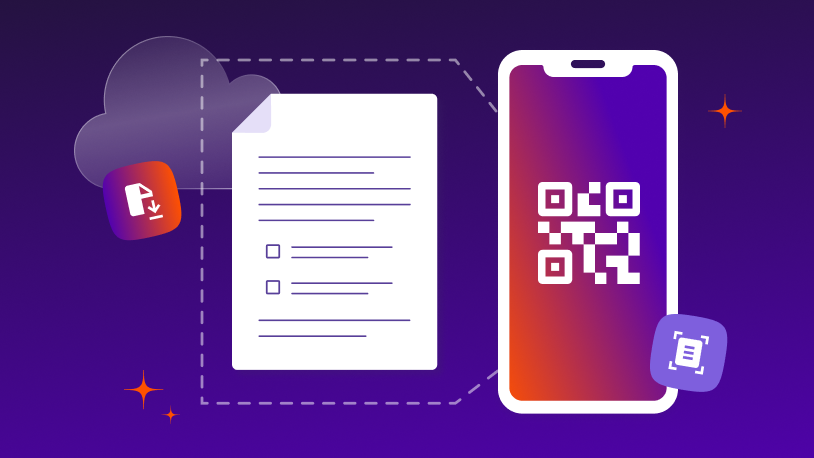
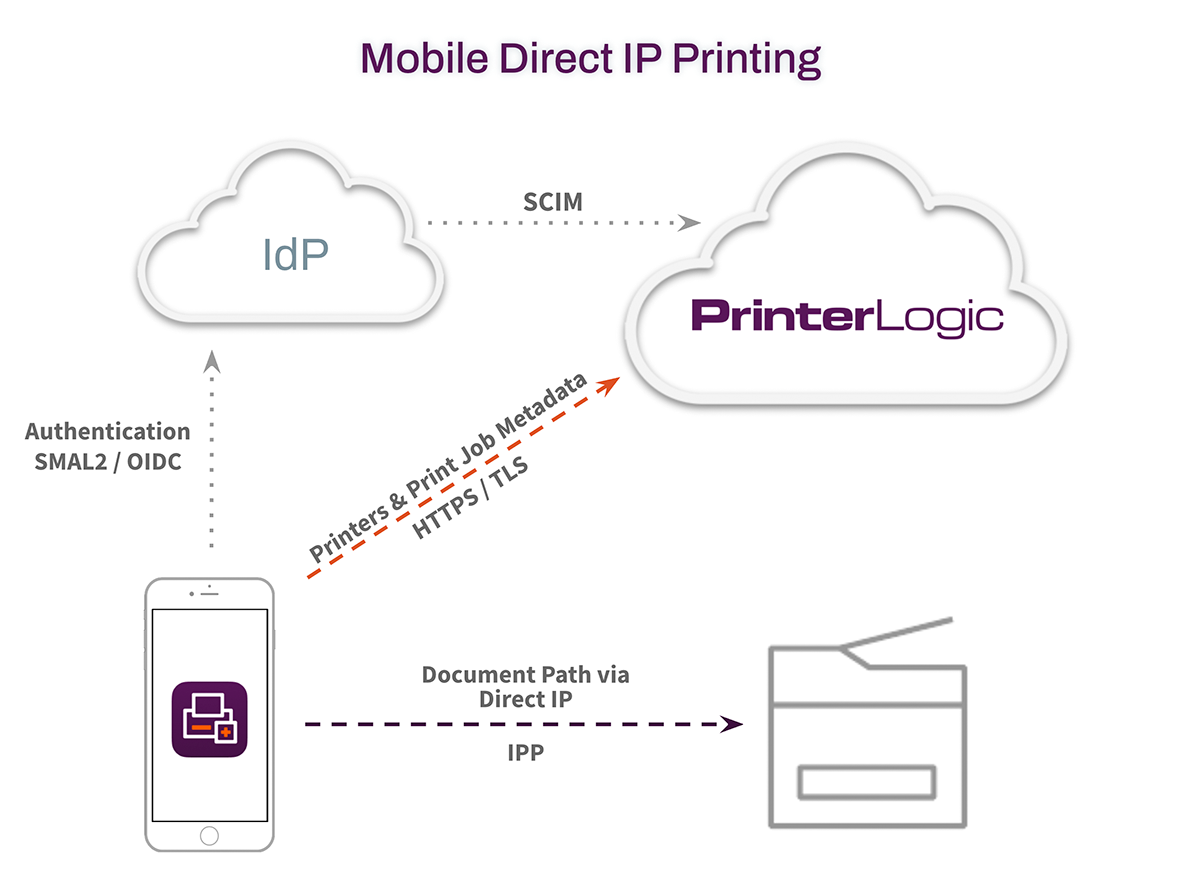
The PrinterLogic App uses the native built-in functionality of a BYOD device for printing. Specifically, it uses IPP 2.0 (Internet Printing Protocol version 2.0), a driverless printing protocol, to communicate with the printers for configuration information and to send the completed job to the printer. There are three primary aspects of mobile printing that are important to understand as a user of PrinterLogic’s platform.
1. Authentication
Once the mobile application is installed on a device, the end user will enter the URL of the PrinterLogic instance. The user then signs in with a supported identity provider (IdP), such as LDAP, Azure, Okta or Google. PrinterLogic supports the leading cloud-based IdPs as well as on-premises solutions. For companies using PrinterLogic SaaS and LDAP, a firewall rule must be built to enable LDAP’s communication with the SaaS instance.
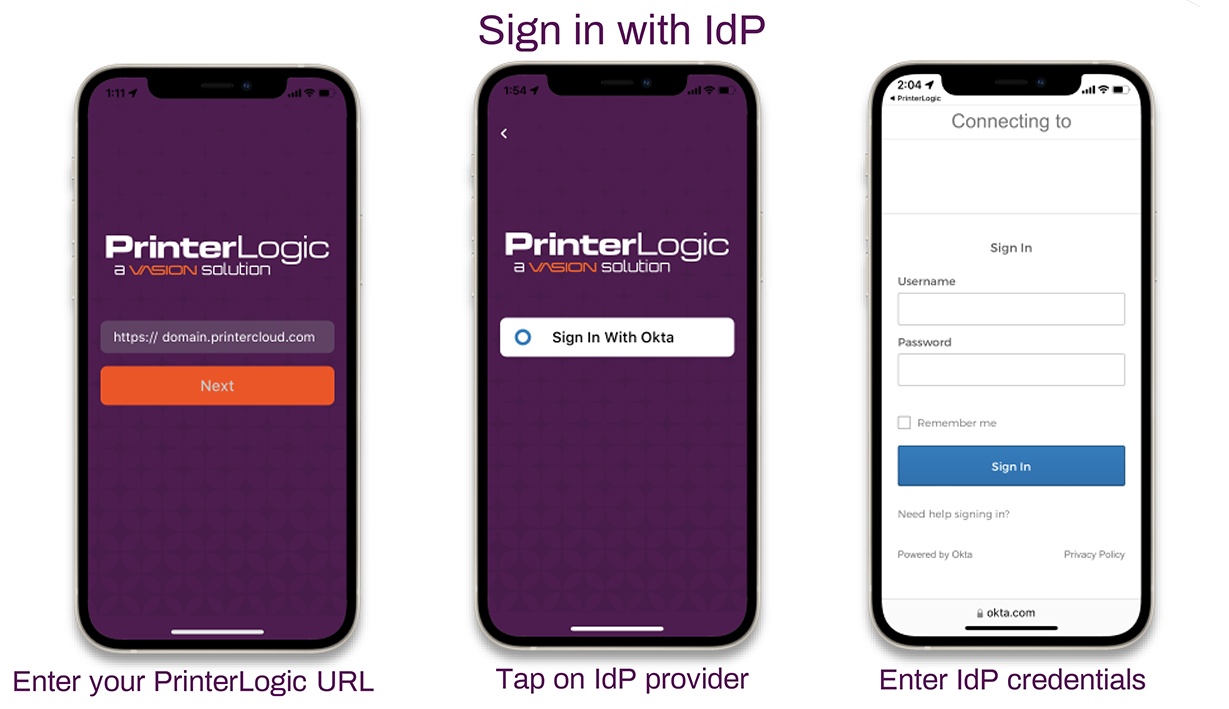
PrinterLogic App IdP Login Steps
2. Administrative Deployment of Printers
For users with the app, PrinterLogic Administrators can deploy printers to mobile devices. From the PrinterLogic Admin Console, the admin can deploy printers based on third-party IdP users/groups, or by a mobile device IP address.
For companies using an IdP, printers automatically deployed to a user via the Admin Console are deployed to the individual, not the device they’re using. In other words, any printer deployed to that user will also be deployed to any devices they log into using their IdP credentials. For companies deploying by IP address, deployments will follow the user’s location and provide access to appropriate printers wherever a user is.
3. Self-Installation of Printers
Users with the app are able to self-install printers to their mobile devices based on the same portal security assignments as a traditional operating system. This means that they will have access to the same printers on their mobile device as they do on their desktop. As detailed in the previous section, printers automatically deployed to a user by the IT admin will be immediately viewable in the PrinterLogic app. Any that are not listed can be self-installed by the user as long as they have been granted access.
For the IT admin, this functionality means fewer Help Desk calls to install or access printers as well as quicker, easier access to printing across the organization.
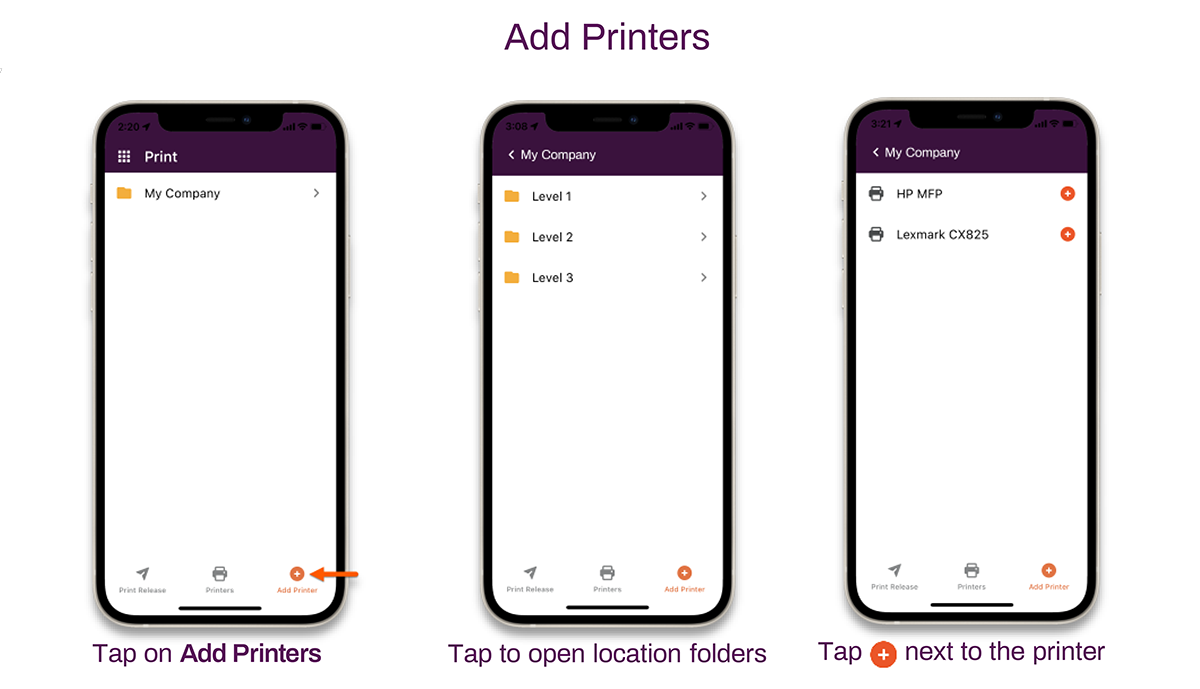
From the PrinterLogic app “Add Printer” screen, users can self-install printers.